Earlybyte Navbar - A Carrd Navigation Menu That Just Works
Clean, minimal, and fully responsive navigation for Carrd ✨
Earlybyte Navbar Builder helps you create a responsive Carrd navbar with real dropdown menus, mobile navigation, and active link highlighting ✨. Instead of editing HTML, CSS, and JavaScript by hand, you configure your navigation, preview it, and copy one Carrd Embed snippet into your site.It is built for people who like the speed and simplicity of Carrd, but want a better way to handle navigation when a page grows beyond a simple one-section site 🧭.The builder is the easiest path ✓. The original Carrd navbar template is still available for power users who are comfortable editing JavaScript directly, but most users will have a smoother time with the builder.
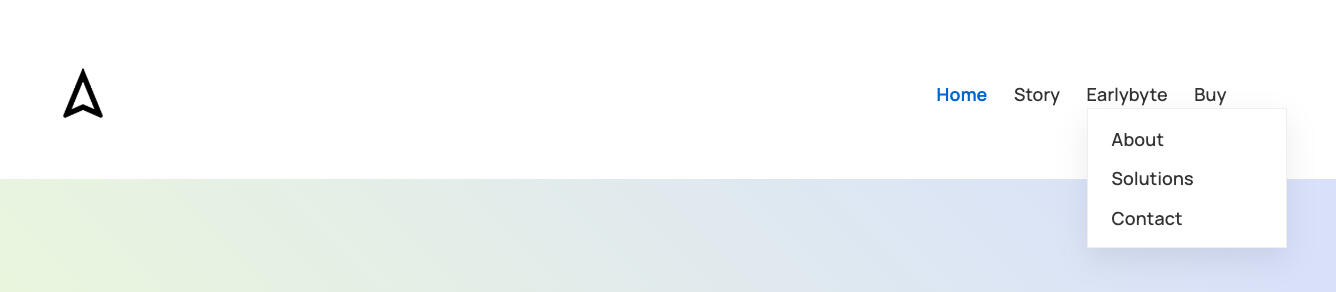
Looks beautiful on desktop devices 💎
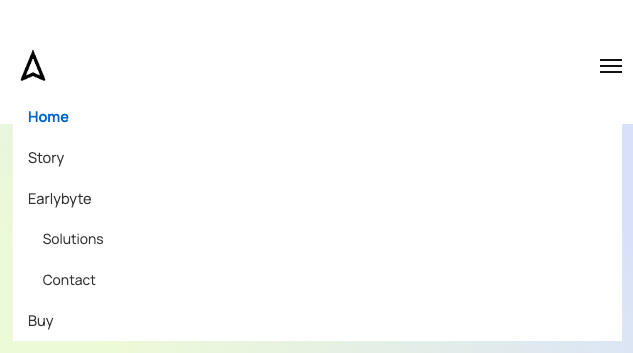
Looks beautiful on mobile devices 💎
Why it exists 💡
Carrd is great for fast, clean websites ✨. Navigation is where things often become messy. A simple header turns into custom code, mobile behavior, dropdown logic, active link highlighting, and small fixes every time the site structure changes.The Carrd Navbar Builder removes that friction. Instead of spending valuable time building and maintaining your own navigation menu, you can use the builder as a solid foundation and focus on what matters more: your content, your ideas, or your business ⏱️.The goal is simple: no hacks, no unnecessary complexity, just a navbar that does its job ❤️.
What you can build 🧭
Fully responsive Carrd navigation for desktop and mobile 📱
Two-level Carrd dropdown menus for growing sites ✨
Active link highlighting for hash-based Carrd sections 🧭
Clean, minimal styling that stays visually unobtrusive 🎨
Logo, font, color, hover, and button styling ⚙️
Clean Carrd Embed code you can paste into your page 📋
Saved navbars for multiple projects or variations 💾
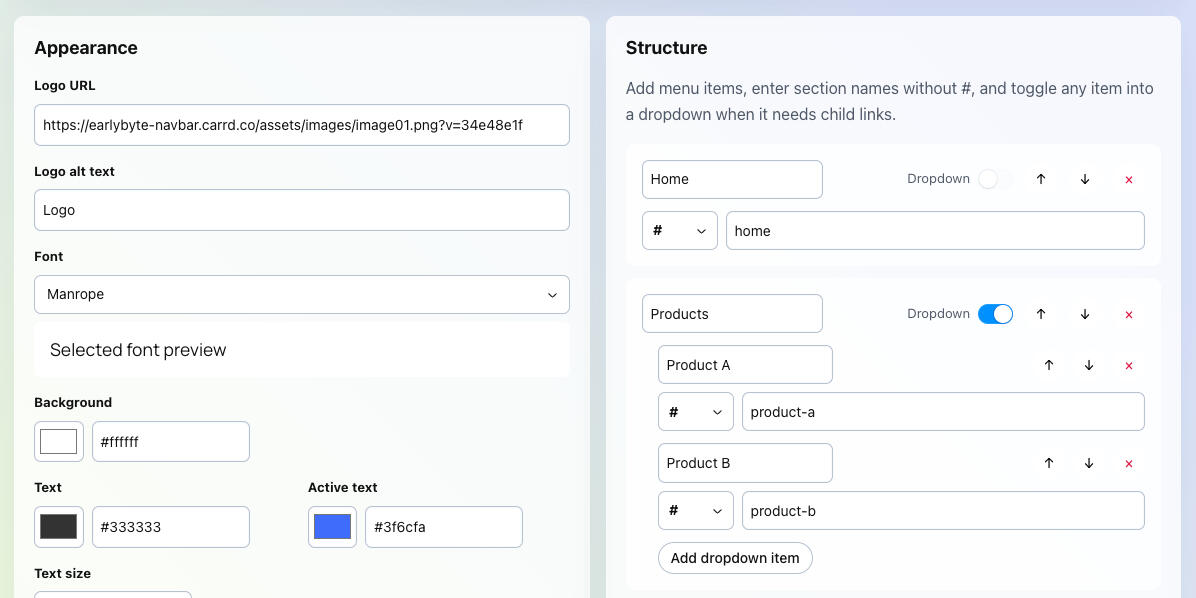
Easy to use menus for beautiful navigation bars 🛠️
Builder or template? ⚖️
Use Builder as the main call to action 🚀. It should open the Builder directly, because the Builder is the easiest way to create, preview, save, and export your Carrd navigation ✓.Use Template as the secondary path ⚙️. It should go directly to the Carrd navbar Template, which is meant for power users who want a ready-made code component and are comfortable editing JavaScript, HTML, and CSS manually.
Start free, export when ready 💳
You can start with the builder to configure and preview your Carrd navbar 👀. Paid plans unlock generated code export and higher saved-navbar limits when you are ready to use the result on your site.This keeps the first step simple: build the navigation, test it, and choose a plan only when you need the final Carrd Embed code 📋.
Personal Yearly
$19/year
5 navbars
Creator Yearly
$39/year
20 navbars
Personal Once
$99 once
5 navbars
Creator Once
$199 once
20 navbars
What should come next? 🚀
I am also exploring more Carrd tools that could make practical sites easier to build, including a GDPR-compliant cookie consent for Google Analytics and Matomo, plus a real Markdown page builder for structured content.If one of these would help you, or if you need something else for your Carrd site, I would love to hear about it ❤️.
Carrd Navbar Builder Features
Everything you need for practical Carrd navigation ✨
The Carrd Navbar Builder is designed for one focused job: making a responsive Carrd navigation bar easier to create, adjust, and maintain ✨. It focuses on the parts that usually cost time when building Carrd sites with more structure: responsive behavior, dropdown menus, active states, mobile navigation, styling details, and clean integration.As soon as a Carrd page grows beyond a simple one-section site, navigation can become surprisingly time-consuming. You may need section links, external links, dropdown items, active link highlighting, and a menu that still works reliably on phones 🧭. Builder gives you a guided way to handle those details without searching through JavaScript, rebuilding the same structure, or hoping a small code change did not break the mobile menu.The goal is still simple: clean, minimal, Carrd-safe navigation that feels natural inside your page. You configure the navbar visually, preview it on desktop and mobile, save versions when needed, and copy one Carrd Embed snippet when you are ready 📋.
Navigation structure 🧭
Top-level Carrd navigation links for your main sections 🗺️
Two-level navigation with dropdown menus for growing sites ✨
Carrd section links with hash targets 🧭
External URL links when needed 🔗
Drag-free structure edits without moving code around manually ⚙️
This makes Builder useful for landing pages, small business sites, product pages, documentation-style Carrd pages, and multi-section one-page websites 🧭.
Responsive mobile navigation 📱
The generated Carrd navigation is built for desktop and mobile 📱. You can preview the navbar in both modes before copying the final code.Mobile menus are especially important for Carrd pages because visitors often land on your site from phones. Builder helps you test your Carrd mobile navigation without layout shifts, hacks, or guessing how the menu will behave ✓.
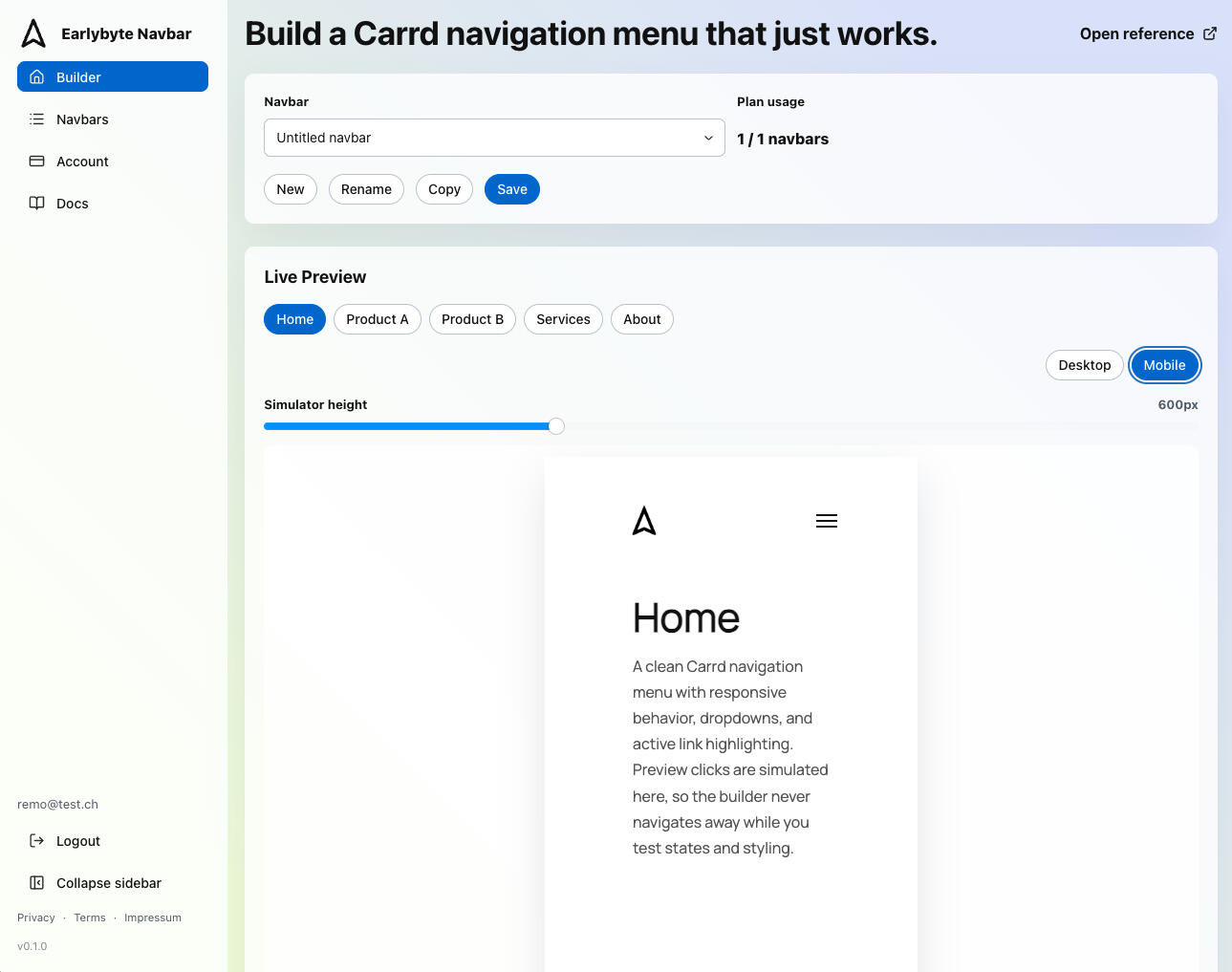
Preview your navigation bar for desktop and mobile 🔎
Visual styling 🎨
You can adjust the look of the navbar without digging through CSS:
Fix navigation bar to the top 🔝
Logo URL and alt text 🖼️
Font family 🔤
Background color 🎨
Text and active text colors ✨
Text size ↕️
Button fill and active fill ▣
Button border and radius ◌
Hover text and hover fill 🪄
Dropdown style 🧭
The goal is not to create an overcomplicated design system 🎨. The goal is clean, minimal styling that blends into your layout while still giving you enough control to make the navigation feel like part of your Carrd site.
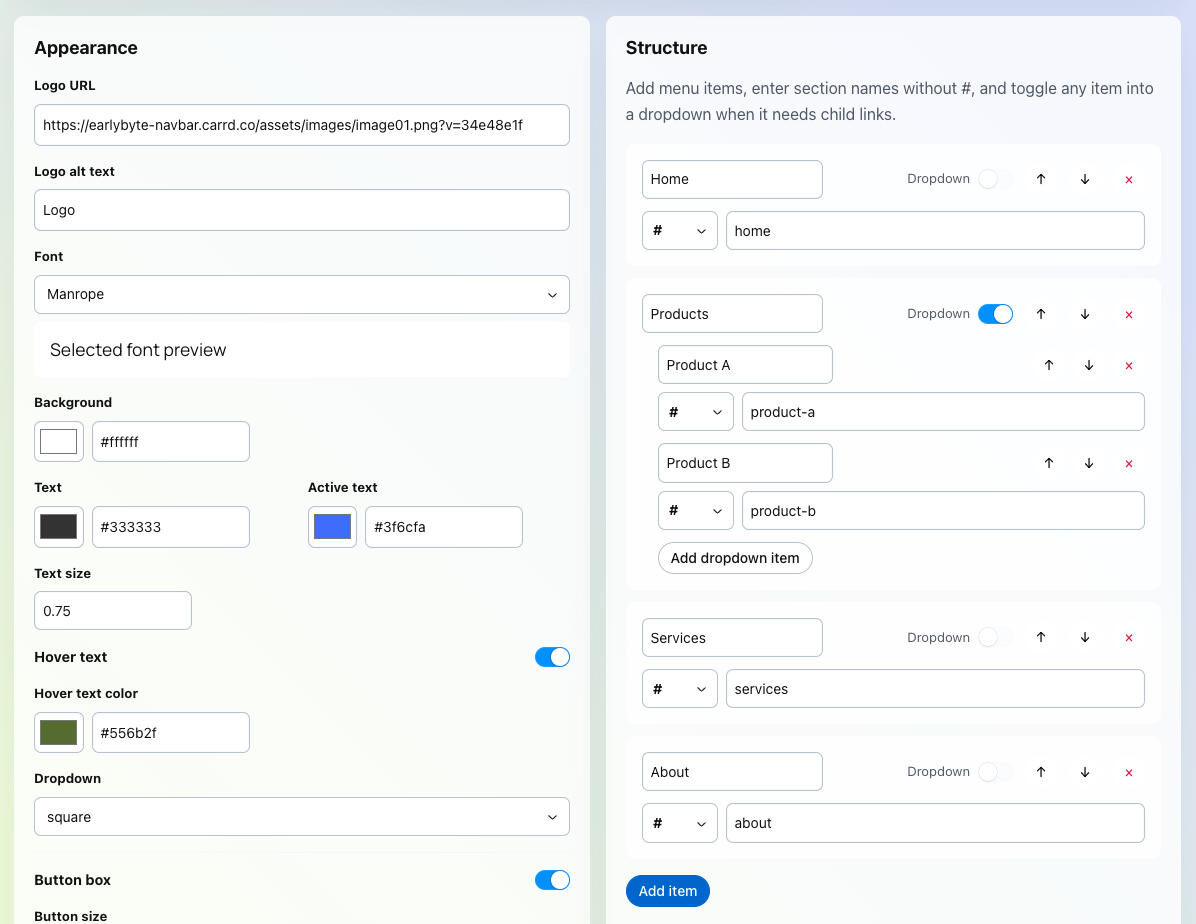
Easy to use menus for beautiful navigation bars 🛠️
Features you will love ❤️
Live preview 👀Builder includes a live desktop and mobile preview. You can simulate Carrd section navigation, test active states, open dropdowns, and adjust the simulator height when larger mobile menus need more room.This helps you catch layout issues before pasting the code into Carrd ⏱️.
Clean Carrd Embed code 📋When your navbar is ready, Builder generates one Carrd Embed snippet with the HTML, CSS, and JavaScript needed for the navigation.The generated code stays focused on the navbar. It does not include preview-only behavior, billing logic, sessions, or app-specific code. It is meant to be lightweight and maintainable, not a complicated framework inside your Carrd page.
Saved navbars 💾You can save and manage multiple navbars. This is useful if you work on more than one Carrd project, want to test different navigation structures, or need separate versions for different pages.
Plans and export access 💳Builder is made to be easy to try. You can configure and preview your Carrd navigation first, then choose a plan when you are ready to export and use the generated Carrd code.Paid plans unlock code export and higher saved-navbar limits. This keeps the free experience useful for testing while making the paid step clear when you want to use the navbar on a real Carrd site.
Future Carrd tools 🚀
I am collecting feedback on what should come next. Ideas include:
GDPR-compliant cookie consent for Carrd 🍪
Google Analytics consent support 📈
Matomo consent support 📊
A real Markdown page builder for Carrd-style pages 📝
If you have a feature request, a Carrd navigation problem, or a workflow that feels harder than it should, please share it ❤️.
Template for power users ⚙️
The original Carrd navbar Template is still useful if you prefer to work directly in code ⚙️. It is best for power users who are comfortable editing JavaScript, HTML, and CSS themselves.For most users, the Builder is the easier and safer option because it gives you a guided interface and generates the code for you ✓. Choose Builder if you want the guided app, or Template if you prefer the code-oriented power-user route.
The navigation bar built for people who want their site structure to stay simple — even when their content grows.
The Earlybyte Navbar Origin Story
We built the right Carrd navbar once, so you do not have to ⏱️
Carrd is a wonderful tool for building focused websites quickly ✨. It keeps the page builder simple and lets you publish without a large stack around it. That simplicity is exactly why I like using it.But navigation becomes more challenging as soon as a Carrd site grows beyond a single page or a few simple sections 🧭. A larger site may need dropdowns, mobile navigation, active link highlighting, external links, and a structure that still feels easy to maintain.That is where the first Earlybyte Navbar started. Multi-level navigation was hard to achieve, mobile menus often felt like workarounds, and maintaining a clean structure required more effort than it should. Building a custom navigation bar from scratch for every project was not a good use of time, so the goal was to solve the problem once ✅.
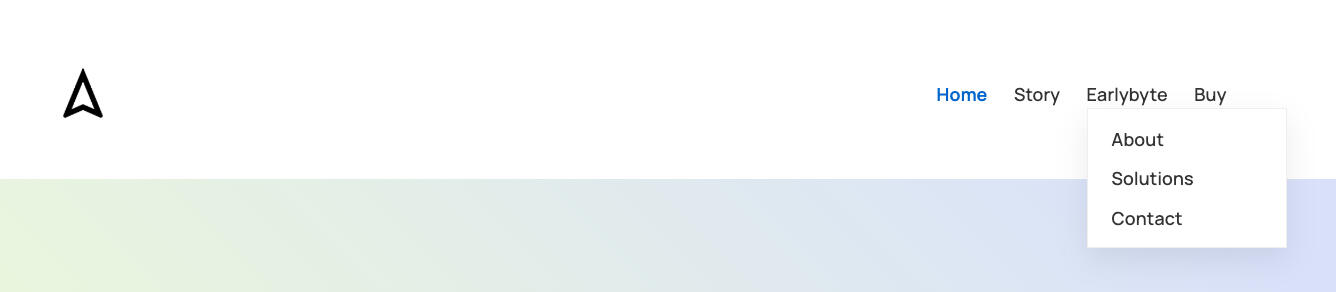
Looks beautiful on desktop devices 💎
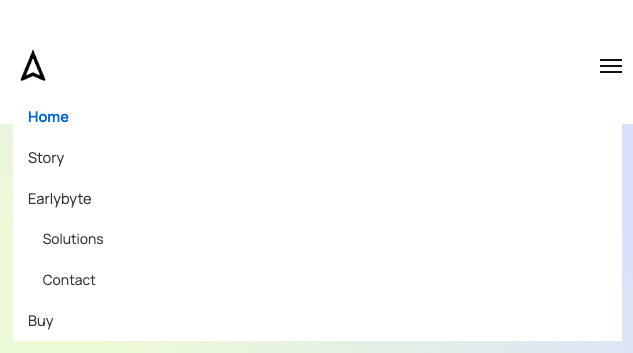
Looks beautiful on mobile devices 💎
Why Builder came next 💡
The Template worked, but it still had one important limitation: editing it properly required code confidence ⚙️.For power users, that is fine 🛠️. If you are comfortable editing JavaScript, HTML, and CSS, Template can be a flexible starting point.For many Carrd users, though, that is not the experience they want. They want to change a label, add a dropdown, adjust colors, test the mobile menu, and copy the result. They do not want to search through code and hope they changed the right line.Builder was created to make the easier path possible ✨.
What stayed the same ❤️
The goal is still the same: simple, predictable, and reliable Carrd navigation that does not make your site structure harder to manage.Builder keeps the practical foundation of the original Template, but adds a guided interface around it. You can configure the navigation visually, preview it, save versions, and generate clean Carrd Embed code.
What changed ✨
Instead of starting with code, you start with your site structure 🧭.You add links, dropdowns, section targets, external URLs, logo settings, fonts, colors, active states, and mobile behavior through Builder. The generated code is still plain Carrd-friendly HTML, CSS, and JavaScript, but the editing experience is much calmer.The Template remains available for people who like working close to the code. The Builder is for everyone who wants the same kind of Carrd navigation without that manual maintenance work ❤️.
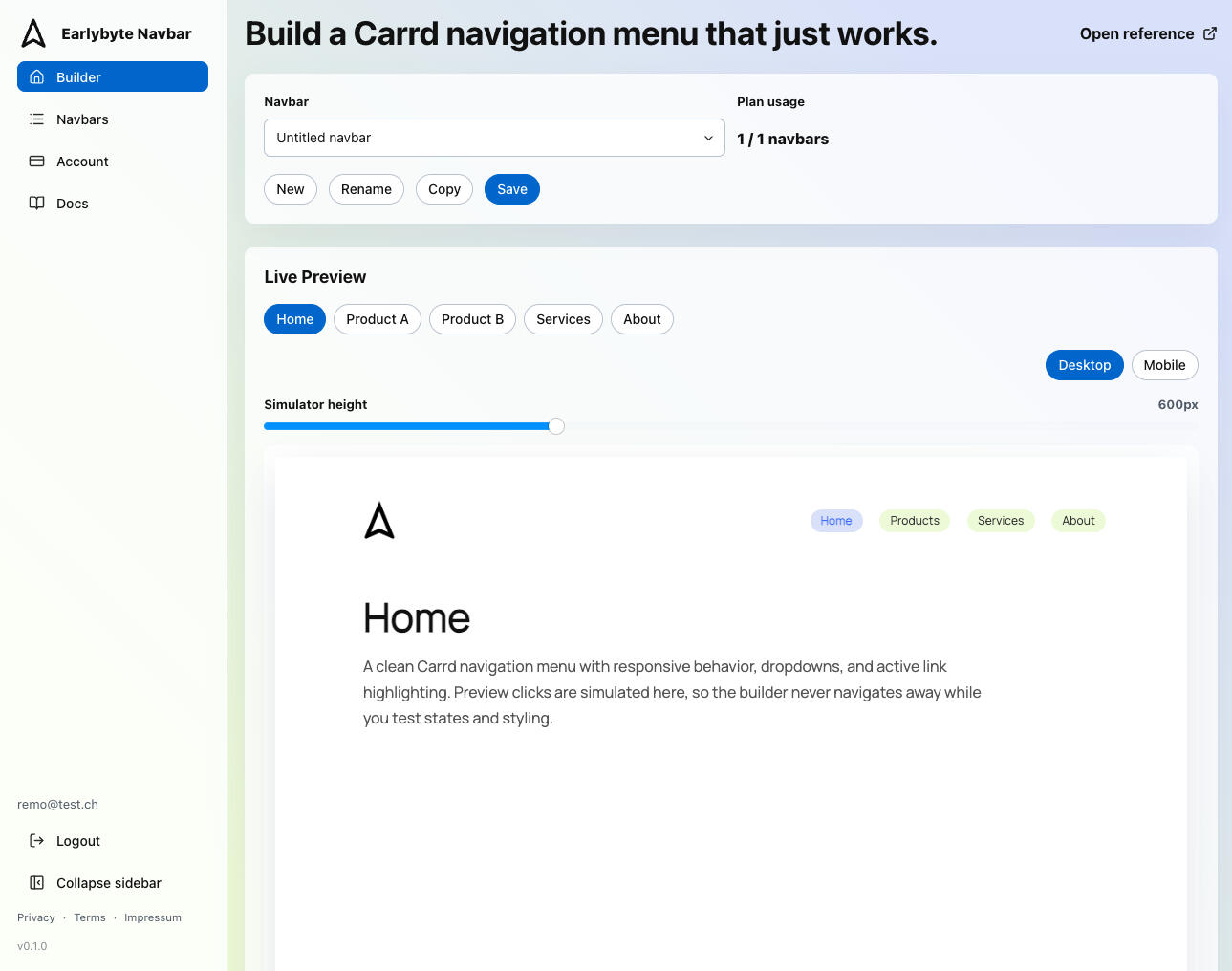
Build your navigation bars without coding - easy and accessible 🌈
Built for real Carrd pages 🧭
This is not meant to be a giant platform. It is a focused tool for a focused problem ✓.If your Carrd page needs a proper navigation bar, a responsive menu, dropdowns, or cleaner section navigation, Builder is meant to help you get there faster and keep your page structure simple, even when your content grows.
Made by Earlybyte for Carrd users who want their site structure to stay simple.
The Company Behind the Earlybyte Navbar
More time for what really matters. ⏱️
Earlybyte is a small, independent company focused on building practical digital solutions for small and growing businesses. We believe that good software should make work easier, not more complicated, and that technology should support people in their daily work rather than slow them down.Our approach is pragmatic and iterative 🔄. Instead of large, rigid projects, we focus on small, meaningful improvements that can be delivered step by step, tested in real-world use, and refined over time ⏳. This keeps projects flexible, reduces risk, and ensures that every change adds real value.We value direct communication and personal collaboration 💬. Working on equal footing with our clients allows us to understand real needs, make better decisions, and build solutions that actually fit. Clarity, usability, and long-term reliability guide everything we build . We prefer focused tools and well-structured systems over complex platforms 🧩.The Earlybyte Navbar follows the same principles — a simple, reliable component designed to solve a real problem without unnecessary complexity.
“The best solutions come from working closely together and keeping things simple.”

Remo Höppli
CEO & Founder of Earlybyt

Looking to collaborate or need help with your Carrd pages? Get in touch.
Our Solutions for Better Efficiency
Making everyday work easier through focused automation and digitalisation. 🚀
We provide focused, practical solutions for small and growing businesses that want to improve their daily work and operate more efficiently. Through targeted automation and thoughtful digitalisation, we help reduce manual effort and create more space for what really matters ⏳.
Digitalisation Workshop — uncover potential together
In a short, focused workshop, we take a close look at your current IT landscape and workflows. Together, we identify where digitalisation can create the biggest impact and where small changes can make a real difference 🔍.Consulting & planning — from ideas to realistic solutions
Whether you have an initial idea or a concrete problem, we help you evaluate options and plan a solution that actually fits your business. We work in a structured and honest way, keeping complexity in check and focusing on what makes sense for your situation 📐.Optimising existing systems and processes — improve what’s already there
New software isn’t always the answer. Often, small adjustments to existing tools or processes can significantly improve efficiency. By optimising what you already use, we help save time and reduce unnecessary effort without introducing new complexity 🔄.Small, focused tools for everyday work — pragmatic and effective
When something is missing, we build simple digital tools that do exactly what’s needed — no more, no less. No overengineering, no bloated systems, just pragmatic solutions that make everyday work noticeably easier ✨. When required, custom software gives us the flexibility to address very specific needs.
Simple where possible, custom where useful ✨
The goal is not to add technology for its own sake. The goal is to make work easier.Sometimes that means a small Carrd tool 🧭. Sometimes it means an internal automation. Sometimes it means custom software that does exactly what is needed, no more and no less.The common thread is clarity: build what helps, keep it understandable, and improve it over time ✓.
Looking to collaborate or need help with your Carrd pages? Get in touch.
Ready to Work Together
Projects, ideas, or just a good chat. 🚀
I am always open to connecting ❤️, whether you are looking to collaborate on a project, need support with your Carrd pages, or simply want to talk through an idea. Sometimes a short conversation is all it takes to see if there is a good fit.If you are using Carrd and need better navigation 🧭, I would be happy to hear from you. Builder is built around real problems, so feedback and feature requests are genuinely useful.You can reach out if you want to:
Ask a question about Builder.
Suggest a feature for Carrd navigation.
Share a problem with your current Carrd menu.
Ask about the power-user Carrd navbar Template.
Talk about GDPR-compliant cookie consent for Carrd.
Discuss Google Analytics, Matomo, or Markdown page builder ideas.
Explore custom Carrd support or another small digital tool.

Remo Höppli
CEO & Founder of Earlybyte
Simple and direct ✉️
No pressure, no obligations, no complicated process ✉️. A short message is enough to start. If there is a good fit, we can explore it. If not, I may still be able to point you in a useful direction ✓.Made by Earlybyte in Winterthur, Switzerland.
Looking to collaborate or need help with your Carrd pages? Get in touch.
Impressum
Privacy Policy
Terms and Conditions